





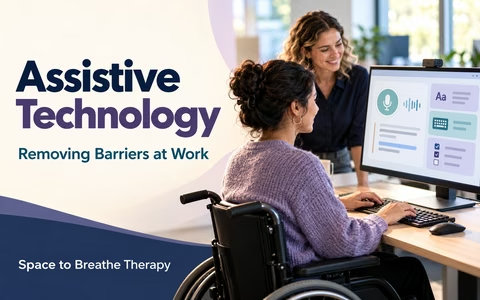
Assistive Technology
Removing Barriers at Work
Assistive technology can include software, equipment and adaptations that make a work task more accessible. Start with the barrier you want to reduce, then explore what might fit your task, preferences and workplace systems.
What can assistive technology include?
Assistive and accessible technology can help people take part in work and do tasks that might otherwise be difficult. It can include items, equipment, adaptations and software. Many tools are already part of everyday devices; others are specialist products.
Questions to begin with
- What task is difficult, and when does it happen?
- What part creates the barrier: reading, writing, remembering, listening, typing or navigating software?
- What do I already use, and what works or does not work?
- What would a useful change let me do more easily?
Assistive technology is one possible part of support. Clear instructions, adjusted workflows, training, flexible working or other reasonable adjustments may also help.
Match technology to the task
Describe a real work task and the difficulty it creates. Then compare tools against that task instead of choosing from a long product list.
Examples to explore
- Long documents are tiring to read: test text-to-speech, larger text, spacing or a structured summary.
- Typing slows down work: try dictation, predictive text, keyboard shortcuts or a different input device.
- Instructions are easy to forget: explore written task steps, calendar prompts or reminders.
- Meetings are hard to follow: consider captions, an agenda in advance, notes or a quieter listening setup.
- Screen content is difficult to see or navigate: adjust zoom, contrast, focus order or screen-reader settings.
Think about the whole task
Consider how information gets to you, what you need to do with it, how you record or share the result, and whether any part of the workflow could be changed.
Trial, check and adapt
A short, supported trial can reveal whether a tool helps in your actual work setting. Ask for guidance or training if you need it, and agree how you will decide whether it is useful.
Before a trial
Review with your task in mind
- Can I complete the task more easily, accurately or consistently?
- Does the tool add extra steps, distraction or fatigue?
- Does it work with shared files, meetings, security settings and other software?
- What setup, training or adjustment would make it more useful?
Discussing support and funding
An employer should consider reasonable adjustments where a disabled person would otherwise face substantial disadvantage. Technology can be part of an adjustment, alongside changes to processes, communication or working arrangements.
Prepare for a conversation
- Explain the work task and the barrier it creates.
- Describe tools or changes you have tried, if any, and what happened.
- Ask what assessment, IT review, trial or training is needed.
- Clarify who will arrange the equipment, licence, setup and ongoing support.
- Agree how you will review whether the support is helping.
If you are considering Access to Work, check current GOV.UK eligibility and application information. Your employer can discuss reasonable adjustments separately. Do not purchase equipment expecting reimbursement unless you have checked the relevant process first.
My assistive technology plan
Your notes save in this browser on this device. Include only information you are comfortable recording. Download, print, update or clear your plan when you choose.