





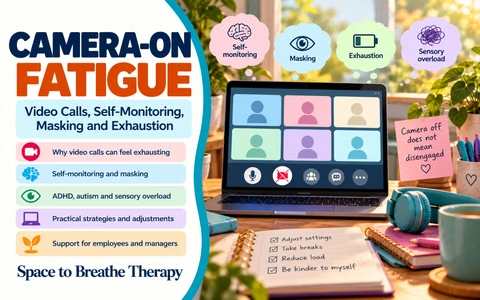
Camera-On Fatigue
Video Calls, Self-Monitoring, Masking and Exhaustion
Space to Breathe Therapy | Workplace Wellbeing Collection
When being visible becomes another task
Video meetings have changed how many of us work.
They allow colleagues to connect across different locations, support remote and hybrid working, and make it possible to participate in discussions without travelling to a shared workplace.
For some employees, this flexibility has made working life considerably more accessible.
However, video calls can also create demands that are easy to overlook.
Someone may be listening carefully, processing information, taking notes and contributing to a meeting while simultaneously monitoring their facial expressions, posture, eye contact and appearance on screen.
They may be wondering whether they look interested enough, whether they are making the right amount of eye contact or whether colleagues will misunderstand their expression.
What appears to be a straightforward meeting can become several tasks happening at once.
Camera-on fatigue is not simply about disliking video calls. It can involve the additional effort of being continuously visible while trying to concentrate, communicate and work.
Why video meetings can feel unusually demanding
In an ordinary face-to-face meeting, people naturally look around the room, glance at notes, shift position and direct their attention towards whoever is speaking.
During a video meeting, the experience can be different.
A screen may display several faces simultaneously.
Someone may feel that their own face is constantly being observed, even when nobody is actively looking at them.
There may be delays in conversation, overlapping speech, uncertainty about when to contribute and pressure to demonstrate attention through visible behaviour.
For some people, these additional demands are manageable.
For others, they can create significant cognitive, sensory and emotional strain.
The impact may also depend on the number of meetings, their duration, the importance of the discussion and the person's energy or health on that particular day.
The hidden work of self-monitoring
Self-monitoring involves paying attention to how we appear or behave.
During video calls, this may include checking our facial expression, posture, eye contact, movements and reactions.
A person might notice themselves repeatedly adjusting their position or checking whether their face looks sufficiently engaged.
They may feel uncomfortable when their expression appears different from how they intended.
Some people become particularly aware of pauses, silences or moments when they are unsure how to respond.
This can divide attention between the actual meeting and the effort of managing how they appear.
For example, an employee may be listening to a detailed explanation while also thinking:
Am I looking at the right place?
Do I look bored?
Should I smile?
Have I been looking away for too long?
These thoughts can take up mental energy that would otherwise be available for understanding and remembering information.
The unusual experience of watching ourselves
Video meetings often allow us to see our own image alongside everyone else's.
Although self-view can be useful when checking a camera setup, it can also become distracting.
In everyday conversations, we do not normally watch our own face while speaking.
On a video call, someone may repeatedly notice their expression, appearance or movements.
This can increase self-consciousness, particularly for people who already experience social anxiety or worry about how they are perceived.
Hiding self-view can be a simple adjustment worth trying.
It allows the camera to remain available to other participants while reducing the distraction of constantly seeing yourself.
However, preferences vary. Some people find self-view reassuring because it helps them understand what others can see.
The aim is not to establish one correct setting, but to offer choice.
Masking and the pressure to appear engaged
Masking can involve consciously or unconsciously changing natural behaviour to meet perceived social expectations.
For some autistic and ADHD employees, this may include monitoring facial expressions, controlling movements, suppressing natural responses or deliberately demonstrating attention in ways that others expect.
Video meetings can intensify this effort.
An employee may feel pressure to sit still, maintain an attentive expression and avoid looking away, even when movement or looking elsewhere would actually help them concentrate.
They may continue smiling or nodding despite feeling overwhelmed.
Because the effort is largely invisible, colleagues may assume the person is comfortable.
By the end of the meeting, however, the employee may feel exhausted.
Looking engaged and being engaged are not always the same thing.
Someone who looks away, moves, takes notes or turns their camera off may still be listening carefully and contributing meaningfully.
ADHD, attention and video-call demands
Employees with ADHD may experience particular challenges during some video meetings.
Multiple faces, movement on screen, notifications and background activity can compete for attention.
Long periods of passive listening may also be difficult, especially when meetings lack a clear purpose or structure.
Some people find that movement helps them regulate attention.
Others benefit from taking notes, using captions, reducing visual distractions or receiving an agenda in advance.
A requirement to remain visibly still and attentive may interfere with strategies that otherwise help the employee participate.
These experiences are individual.
Not everyone with ADHD experiences video meetings in the same way, and the most helpful adjustment will depend on the person and the task.
Autism, sensory processing and social expectations
For some autistic employees, video meetings can introduce additional sensory and social demands.
Gallery view may create a visually crowded screen.
Unexpected interruptions, changes in speaking order and unclear conversational cues may make discussions more difficult to follow.
Eye-contact expectations can also be confusing.
Looking directly into the camera may appear to simulate eye contact for other participants, but it can prevent the employee from looking at the person who is speaking or reviewing information on screen.
Some autistic employees may find this uncomfortable or distracting.
Others may prefer video communication to face-to-face meetings because it offers more control over their environment.
Again, there is no single neurodivergent experience.
Inclusive meeting practices should allow different ways of participating rather than assuming that everyone needs the same arrangement.
Anxiety and fear of being misunderstood
For someone experiencing social anxiety, video calls may create a strong sense of being observed or evaluated.
They might worry that a neutral facial expression will be interpreted as disinterest.
A moment of looking away may feel risky.
A delayed response may create concern that others will think they were not paying attention.
These worries can make it difficult to focus on the content of the meeting.
Previous experiences of criticism or misunderstanding may increase this sensitivity.
An employee who has previously been told they appear distracted or unenthusiastic may become particularly careful about their visible behaviour.
Supportive managers can reduce this pressure by avoiding assumptions about attention based solely on facial expression or camera use.
Sensory overload and visual fatigue
Video meetings can involve significant sensory input.
Multiple moving images, bright screens, background noise, poor audio quality and rapid changes between speakers can all contribute to fatigue.
Some employees may also experience headaches, eye strain or difficulty concentrating during prolonged screen use.
Reducing gallery-view overload, adjusting screen brightness, using appropriate audio settings or taking breaks may help.
Where practical, an audio-only option may be more comfortable for some discussions.
Other employees may benefit from captions, transcripts or written summaries.
These adjustments can support different access needs, although no single option will be suitable for everyone.
One meeting is not the same as six meetings
A short video call may be manageable.
Several back-to-back meetings can be a very different experience.
Consider an employee who attends six camera-on meetings during one working day.
Each meeting may require listening, processing information, monitoring social cues, contributing verbally and maintaining visible attention.
Between meetings, there may be little time to move, rest or complete other work.
By the afternoon, the employee may feel mentally exhausted even if the individual meetings were not particularly difficult.
This is an example of cumulative load.
The effect of repeated demands can be greater than the impact of one isolated task.
Managers should consider the overall meeting schedule rather than evaluating each meeting separately.
Why camera off does not automatically mean disengaged
Camera use is sometimes treated as a visible measure of participation.
An employee with their camera on may be assumed to be attentive.
Someone with their camera off may be perceived as distracted or less committed.
These assumptions are not always accurate.
An employee may be fully engaged while listening without video.
They may be taking detailed notes, reviewing documents, using movement to maintain concentration or reducing sensory distractions.
Conversely, having a camera switched on does not guarantee that someone is following the discussion.
Participation is better understood through meaningful contributions, understanding, agreed actions and appropriate communication.
There may be circumstances where visual participation serves a genuine purpose.
For example, certain demonstrations, practical assessments or collaborative activities may benefit from seeing participants.
The important question is whether camera use is necessary for the task rather than simply expected by habit.
Practical ways to reduce camera-on fatigue
Hide self-view
If watching your own image increases self-consciousness, try hiding it while remaining visible to other participants.
Reduce gallery-view overload
Consider using speaker view or another layout that limits the number of moving faces on screen.
Build in breaks
Allow time between meetings for movement, hydration, screen rest and preparation for the next task.
Review meeting length
Not every discussion requires a full hour.
Shorter, focused meetings may reduce unnecessary demands.
Provide agendas and written information
Clear agendas can help employees prepare and understand when their contribution is needed.
Written summaries can reduce pressure to remember every detail while managing a busy screen.
Offer camera flexibility
Where visual participation is not essential, allow employees to choose whether using their camera helps or hinders their involvement.
Encourage different ways to contribute
Some people communicate more effectively through chat, written comments, shared documents or follow-up messages.
Review the overall meeting schedule
Consider whether employees have sufficient time for focused work and recovery between calls.
These changes may improve the experience for many employees, not only those with a disability or neurodivergent condition.
Reasonable adjustments and workplace accessibility
For disabled employees in Great Britain, the Equality Act 2010 may require employers to make reasonable adjustments where the relevant legal conditions apply.
Depending on the circumstances, adjustments relating to video meetings might include camera flexibility, additional breaks, accessible meeting materials, alternative communication methods or changes to meeting arrangements.
An employee may find it helpful to explain the barrier they experience and what adjustment could support their work.
For example:
"I find that keeping my camera on throughout long meetings makes it harder to concentrate on the discussion. Could I keep my camera off during information-sharing sections and turn it on when visual participation is needed?"
This focuses on effective participation rather than presenting camera use as a question of commitment.
Managers should consider requests individually and explore workable arrangements.
How employees can raise the conversation
Discussing camera-on fatigue can feel uncomfortable, especially where video use is part of the team's usual practice.
An employee may worry that requesting flexibility will make them appear unprofessional.
It can help to describe the practical effect and suggest a possible solution.
For example:
"I've noticed that several consecutive video meetings leave me struggling to concentrate later in the day. Could we review which meetings genuinely need cameras and build in short breaks between calls?"
Or:
"I listen more effectively when I can reduce the amount of visual information on screen. Would it be possible to use audio-only participation for some meetings?"
These conversations are most productive when they focus on the requirements of the role and the employee's ability to participate effectively.
What managers can do differently
Managers can create more accessible meeting cultures by reviewing expectations rather than relying on informal assumptions.
Helpful questions include:
- Does this meeting need to happen, or could the information be shared another way?
- Is visual participation necessary for the purpose of the meeting?
- Are employees given an agenda and sufficient preparation time?
- Can participants contribute through different communication methods?
- Are breaks available between longer meetings?
- Are camera expectations explained rather than assumed?
- Are employees able to request adjustments without being judged?
- Does the overall schedule allow time for focused work?
Managers should also be mindful of how they interpret visible behaviour.
Looking away, moving or turning off a camera does not automatically indicate a lack of attention.
A more constructive approach is to agree how participation and outcomes will be assessed.
When camera-on fatigue may indicate a wider problem
Sometimes small adjustments are enough to improve the experience.
However, persistent exhaustion may indicate wider difficulties.
An employee may be attending too many meetings, struggling with unrealistic workloads or experiencing workplace anxiety that extends beyond video calls.
They may also be managing a health condition, disability or period of burnout.
If difficulties continue, it may be helpful to review the wider working environment.
This could involve discussing workload, meeting frequency, reasonable adjustments or occupational-health support.
The aim is not simply to help someone tolerate an unsustainable schedule.
It is to understand what needs to change.
A personal reflection
Consider your own experience of video meetings.
What do I find most tiring about camera-on calls?
Is it seeing myself, monitoring my expression, the number of faces on screen, the length of meetings or the pressure to appear attentive?
Which situations are easier?
Perhaps shorter calls, smaller groups or meetings with clear agendas feel more manageable.
What helps me concentrate?
You might benefit from movement, written notes, captions, camera flexibility or fewer visual distractions.
When do I begin noticing fatigue?
Consider whether the difficulty appears during one meeting or after several meetings have accumulated.
What could I ask to change?
Identify one practical adjustment that might improve participation.
You do not need to change every aspect of your working day immediately.
A small, well-chosen adjustment can be a useful starting point.
Explore the full downloadable guide and interactive activities
The accompanying Camera-On Fatigue PDF provides a detailed six-page resource for employees, managers, HR professionals, supporters and practitioners.
It explores self-monitoring, masking, neurodivergence, sensory overload, anxiety, cumulative meeting demands and practical workplace adjustments.
It also includes structured reflection and planning pages to help readers identify their own meeting-related barriers and consider manageable changes.
The complementary interactive resource brings these ideas to life through discovery cards, a meeting-load explorer, workplace scenarios, a knowledge quiz, personalised adjustment planning and downloadable reflections.
Together, these resources encourage people to think beyond whether a camera is switched on and consider what genuinely supports attention, accessibility and wellbeing.
A message from Space to Breathe Therapy
Being visible is not the same as being connected.
Someone can appear confident and engaged while using considerable energy to manage how they look on screen.
Another person may participate more effectively when they can move, look away or turn their camera off.
Different people have different communication, sensory and concentration needs.
A supportive workplace recognises these differences without automatically interpreting them as a lack of interest or professionalism.
Sometimes seeing each other matters.
Sometimes the most helpful thing is allowing someone to listen without the additional pressure of being watched.
Real connection does not require perfect performance.
Space to Breathe Therapy
Support • Understand • Belong
This article is provided for educational and workplace wellbeing purposes. It does not replace individual medical, occupational-health, HR or legal advice. For further UK workplace guidance, relevant organisations include ACAS, the Health and Safety Executive, the Equality and Human Rights Commission and Access to Work.