





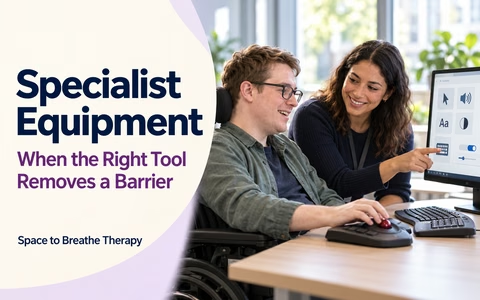
Specialist Equipment
When the Right Tool Removes a Barrier
Specialist equipment can make a work task more accessible when the usual tools create a barrier. Start with what needs to become easier, then explore what fits your task, body, preferences and workplace systems.
Start with the barrier, not the product
Describe the work task and what gets in the way. A tool is useful only if it makes that task easier in the real work setting. Sometimes a process change, clearer instructions, different timing or a combination of adjustments may help more than equipment alone.
Examples by task
- Typing or pointing: consider an alternative keyboard, trackball, switch or voice input.
- Reading or seeing a screen: explore magnification, contrast, screen-reader or text-to-speech settings.
- Listening or following meetings: consider a suitable headset, microphone, captions or hearing equipment.
- Posture or movement: assess desk height, chair support, footrest, positioning or an adjustable workstation.
- Planning or memory: consider accessible reminder software, visual prompts or structured digital tools.
Equipment options to explore
Think broadly: equipment can include physical items, adaptations, software, built-in accessibility features and changes to how existing tools are set up.
Check whether a simpler change could help
Try built-in accessibility settings where appropriate. A different layout, quieter space, clearer process, written follow-up, flexible timing or training may reduce the barrier without adding another device.
Plan a practical equipment trial
Where possible, test the equipment in the setting and tasks where it will be used. Agree the trial period, who will arrange it, how feedback will be gathered and what happens if it does not work.
Check before choosing
- Task fit: Does it improve the specific task, accuracy, comfort or access?
- Personal fit: Can the person use, reach, hear, see, position and adjust it?
- Compatibility: Does it work with the computer, software, security settings and shared systems?
- Practical use: Is it portable, easy to set up, maintain, store and use consistently?
- Training: Does the person or their colleagues need instruction or setup support?
- Privacy: Does the tool record, store or transmit sensitive work or personal information?
- Backup: What will happen if it stops working or cannot be used in a particular location?
Agree what success looks like
Choose observable signs before the trial. These might include completing a task with less effort, fewer errors, more reliable access, greater comfort or being able to take part without extra assistance.
Employer adjustments and Access to Work
In Great Britain, employers must consider reasonable adjustments where a disabled worker would otherwise face substantial disadvantage. Equipment may be one adjustment among several; the legal responsibility depends on the circumstances.
Where Access to Work may fit
Access to Work may help eligible people with practical support in paid work, including specialist equipment, assistive software or equipment adaptations. It complements the employer’s legal duty; it does not pay for adjustments the employer is legally responsible for making.
- Check the current eligibility, application and evidence requirements.
- Ask who will obtain quotes, order equipment, pay upfront and submit claims if applicable.
- Confirm the agreed equipment, cost and approval before relying on grant funding or reimbursement.
- Clarify ownership, maintenance, insurance, repairs, training and what happens if the role changes.
- Discuss how equipment will be used across home, office or other work locations.
Questions for your employer, IT team or adviser
- Can I trial this with the real task and approved work systems?
- Who will arrange delivery, setup, training and ongoing support?
- How will we protect work information and personal data?
- What alternative adjustment can we use if the equipment is unavailable?
- When will we review whether it is helping?
GOV.UK: reasonable adjustments for workers
GOV.UK: Access to Work
GOV.UK: Access to Work factsheet for employers
My equipment trial plan
Your notes save in this browser on this device. Include only information you are comfortable recording. Download, print or clear your plan when you choose.